Adding a project to VERTEX
This page documents the full pipeline for publishing a new project to the ISARIC VERTEX deployment at vertex.isaric.org: from creating the project folder in the private VERTEX-projects repository, through the automated server sync, to managing who can see the project via account.isaric.org.
Pipeline overview
┌─────────────────────┐   PR + merge    ┌──────────────────────────┐
│  VERTEX-projects    │ ──────────────▶│  main branch             │
└─────────────────────┘                 └────────────┬─────────────┘
                                                     │  hourly cron
                                                     ▼
                                        ┌──────────────────────────┐
                                        │  EC2: git pull to        │
                                        │  /opt/vertex-projects    │
                                        │  + project ingestion     │
                                        └────────────┬─────────────┘
                                                     │  inserts project + owner link
                                                     ▼
                                        ┌──────────────────────────┐
                                        │  RDS access database     │
                                        │  (projects, users,       │
                                        │   user_project_mapping)  │
                                        └──────┬────────────┬──────┘
                                               │            │
                                  access managed via       visibility on
                                               ▼            ▼
                                  account.isaric.org   vertex.isaric.org
Project files (dashboard data, figures, metadata) are served from the synced copy of the VERTEX-projects repository on the VERTEX server.
Project access rights (owner, public/private, shared users) live in the RDS database and are managed through the account webapp.
The config file (config_file.json) in the repository only seeds the database entry the first time the project is ingested — after that, access is controlled entirely from account.isaric.org.
1. Generate the project folder
Each project is a top-level folder in the VERTEX-projects repository containing the public outputs of a VERTEX analysis — aggregated data and prebuilt figure files only, never raw data.
You do not write this folder by hand. VERTEX generates it from your analysis project — the simplest way is the CLI:
vertex-cli descriptive-analytics --project-path path/to/your/analysis-project/
This writes the complete static project folder (and PNG exports of every figure) to the project’s outputs_path (outputs/ by default).
Alternatively, the running dashboard can save the outputs itself: set "save_outputs": true in your analysis project’s config_file.json, run VERTEX with the environment variable VERTEX_ENABLE_SAVE_OUTPUTS=1 (both are required, to prevent accidental rewrites of tracked output files), and open the project’s dashboard.
The generated folder is what you commit to VERTEX-projects as a new top-level directory:
My_Project/
├── config_file.json        # generated: project identity + initial access settings
├── dashboard_data.csv      # aggregated/summary data for the dashboard
├── dashboard_metadata.json # insight panel layout (figures, tables, filters)
└── <panel folders>/        # one folder per insight panel, containing figure data
config_file.json
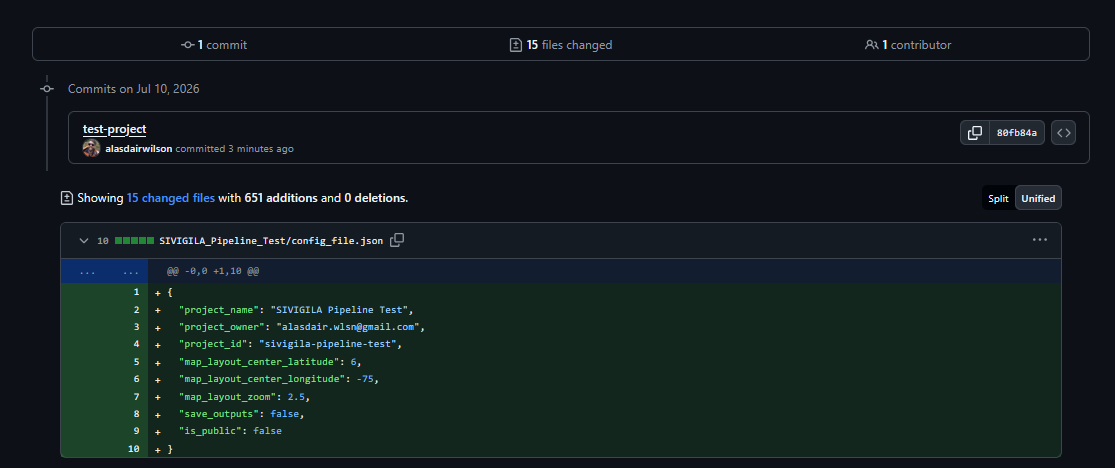
Review the generated config before committing — in particular project_id (must be unique across VERTEX-projects), project_owner, and is_public:
{
  "project_name": "SIVIGILA Pipeline Test",
  "project_owner": "owner@example.org",
  "project_id": "sivigila-pipeline-test",
  "map_layout_center_latitude": 6,
  "map_layout_center_longitude": -75,
  "map_layout_zoom": 2.5,
  "save_outputs": false,
  "is_public": false
}
This example is a private test project, hence "is_public": false — omit the field entirely to get the default of true (see the table below).
Every pull request is checked automatically: the config is validated against config_file.schema.json in the root of the VERTEX-projects repository, and the project_id is checked for uniqueness against all existing and retired projects.
Field |
Required |
Notes |
|---|---|---|
|
yes |
Unique, stable, kebab-case identifier (lower-cased, hyphen-separated, e.g. |
|
recommended |
Display name shown in VERTEX. Defaults to the folder name if omitted. |
|
yes (for ingestion) |
Email address of the owner. The owner must already have an account on account.isaric.org — ingestion of a new project fails if this email has no user record, and retries on the next hourly run. |
|
no (defaults to |
Initial visibility. |
|
no |
Initial map viewport for map panels. |
2. Open a pull request and merge
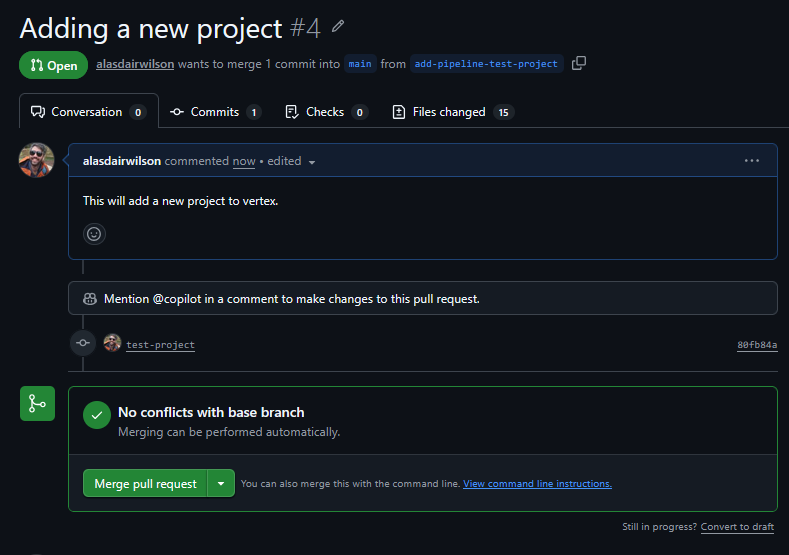
Commit the new folder on a branch and open a PR against main in ISARICResearch/VERTEX-projects.
The diff should contain only your project folder — here the config file plus the dashboard data and figure files:
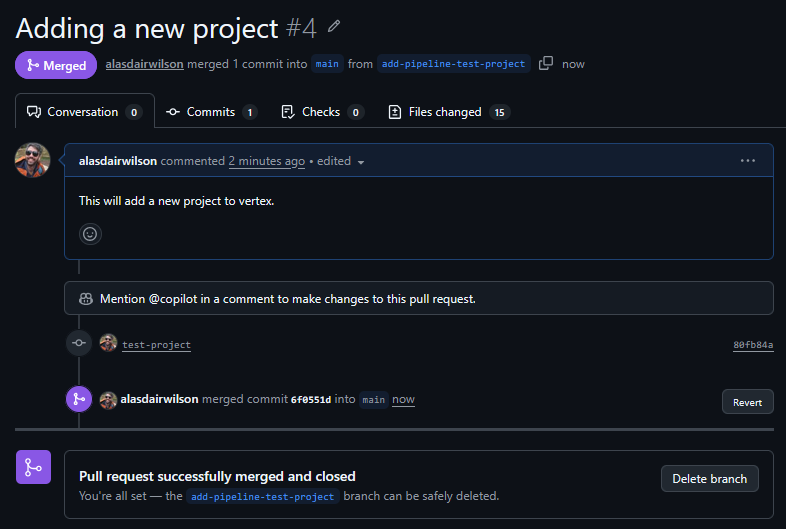
Once the PR is merged, no further manual action is needed — the server picks the change up automatically.
3. Automated server sync and ingestion
An hourly cron job on the VERTEX EC2 instance (at *:00) does two things:
Sync — pulls the
mainbranch of VERTEX-projects into/opt/vertex-projectsusing a read-only deploy key (scripts/sync_projects_repo.shin this repository).-
Ingest — runs python -m vertex.project_ingestion inside the running VERTEX container, which scans every project folder and, for each
project_idnot yet in the database:looks up the
project_owneremail in theuserstable (fails for this project if the account does not exist yet — it will be retried every hour),inserts a row into
projects(vertex_id,owner_id,is_public), andlinks the owner in
user_project_mapping.
Ingestion is insert-only and idempotent: projects already in the database are left untouched, so ownership, visibility, and sharing changes made in the account webapp are never overwritten by subsequent syncs.
Both steps log to /var/log/vertex-projects-sync.log on the instance.
A successful run for a new project looks like:
[2026-07-10T18:00:01+00:00] Sync started: repo=git@github.com:ISARICResearch/VERTEX-projects.git branch=main dir=/opt/vertex-projects
[2026-07-10T18:00:03+00:00] Sync finished successfully
2026-07-10 18:00:05 [INFO] __main__: Static project ingestion summary: seen=5 inserted=1 existing=1 failed=3 owner_links_inserted=1 ...
(inserted=1 / owner_links_inserted=1 is the new project; failed=3 here are pre-existing projects whose owner has no account yet; see the troubleshooting table below.)
Maintainer notes
The cron definition lives at
/etc/cron.d/vertex-projects-syncon the instance and is installed byscripts/install_projects_sync_cron.shin this repository.-
To trigger a sync immediately instead of waiting for the top of the hour (via SSM):
/usr/local/bin/vertex-sync-projects.sh
docker exec isaric-vertex python -m vertex.project_ingestion --projects-dir /opt/vertex-projects
-
Common ingestion errors:
Error
Cause
Fix
owner user does not exist for <email>project_ownerhas no accountOwner signs up at account.isaric.org; ingestion retries hourly
config_file.json is missing project_ownerField absent/empty
Add the field and merge a fix
Skipping folder without config_file.jsonFolder has no config
Add a config file (folders without one are ignored, not errors)
4. View the project in VERTEX
Public projects are visible to everyone, logged in or not.
Private projects are visible only to the owner and shared users, owners will always be able to see the project after logging in with the same account used on account.isaric.org.
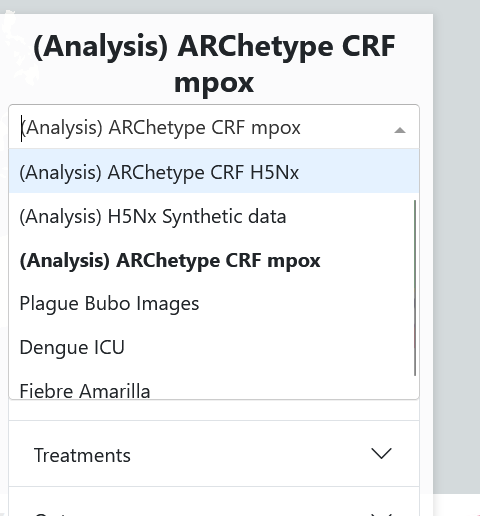
Because this project was ingested with is_public: false, it does not appear in the project selector for anyone else — the other (public) projects are listed, but the new one is absent:
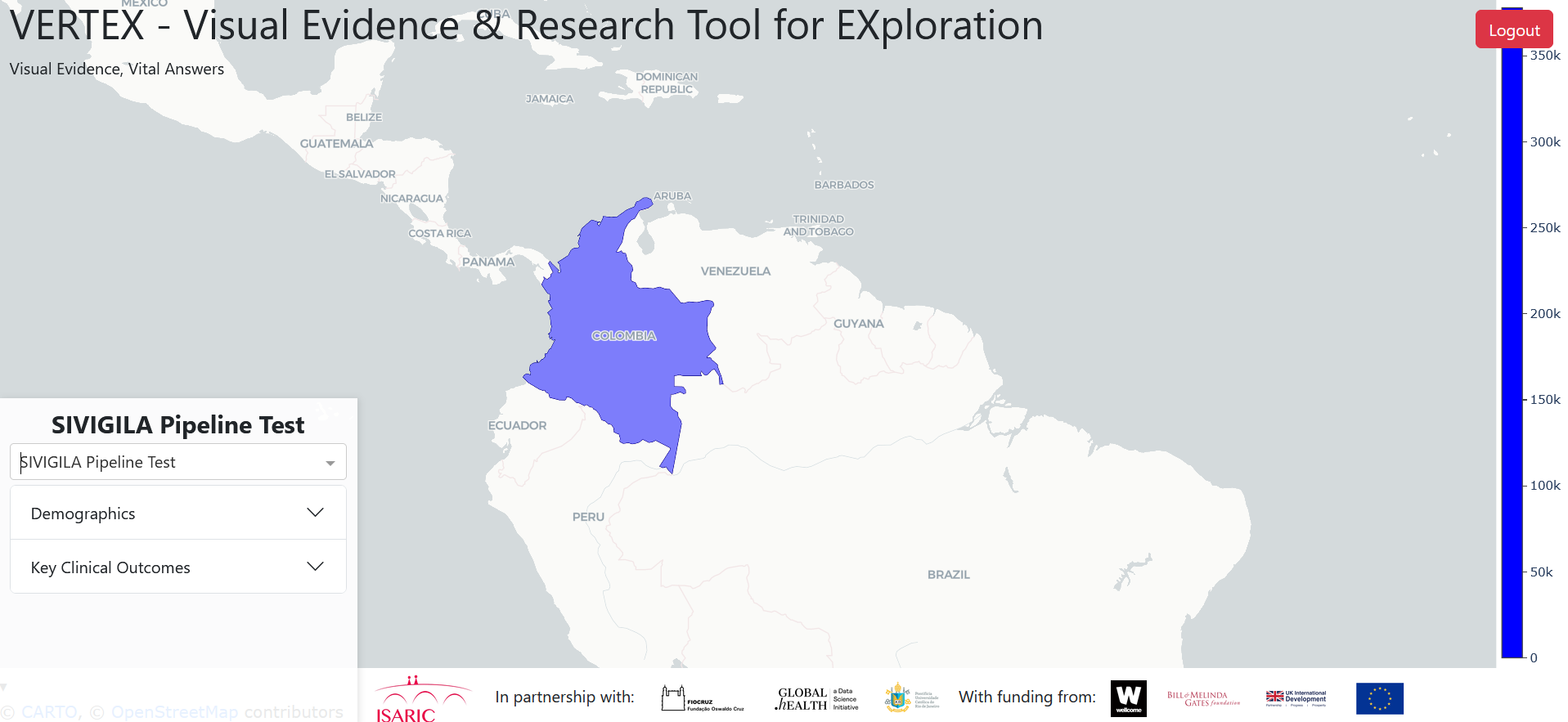
Logged in as the owner, the project is available and opens like any other dashboard:
5. Manage access from the account webapp
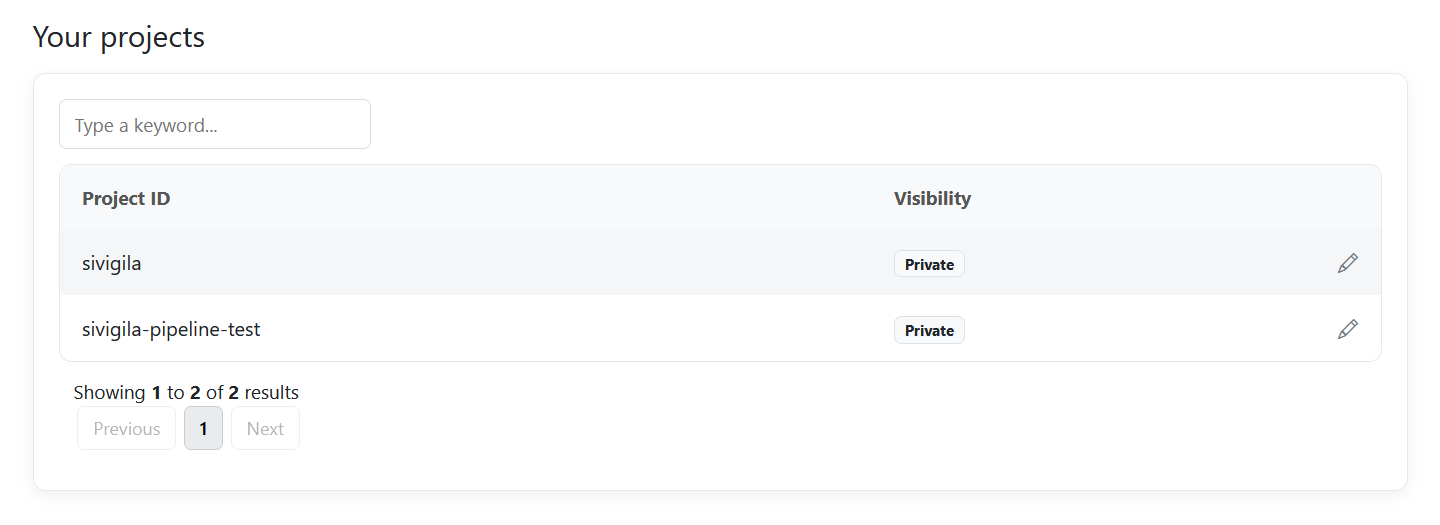
Once ingested, the project appears for the owner on account.isaric.org under Your projects, with its current visibility:
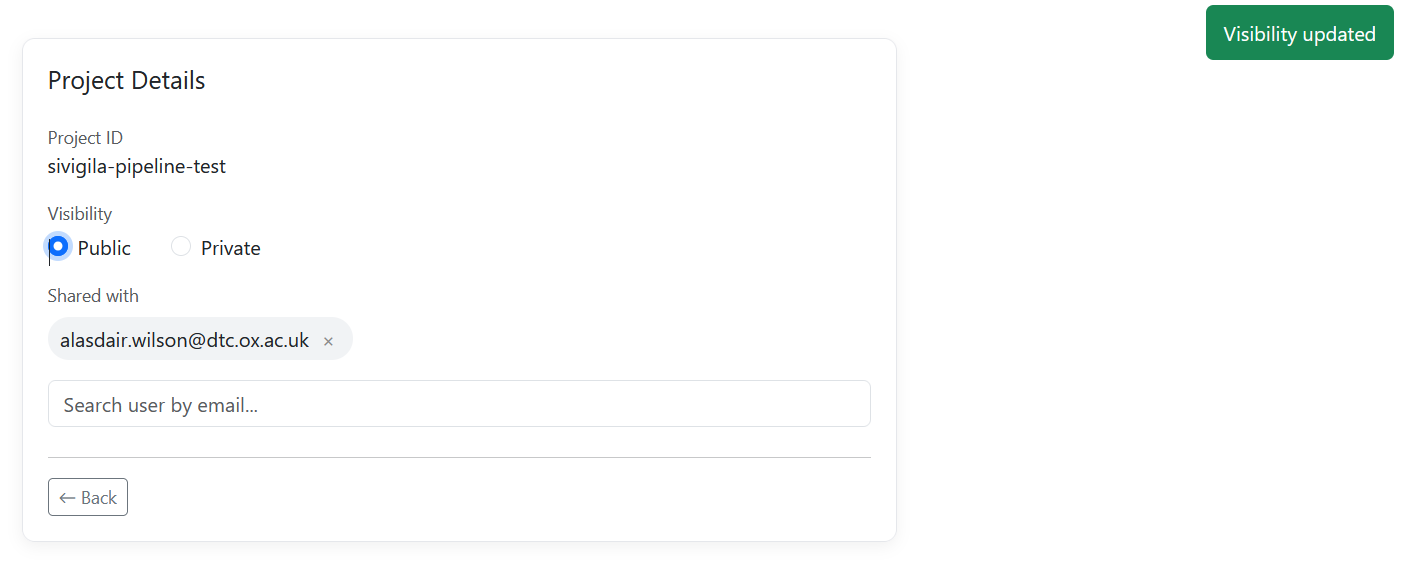
Opening a project’s details page (pencil icon) lets the owner:
Share with individual users — search accounts by email and add or remove them. Shared users can open the project in VERTEX while it stays private to everyone else.
Toggle visibility between Public and Private.
Here the project has been shared with a second account and then switched to Public:
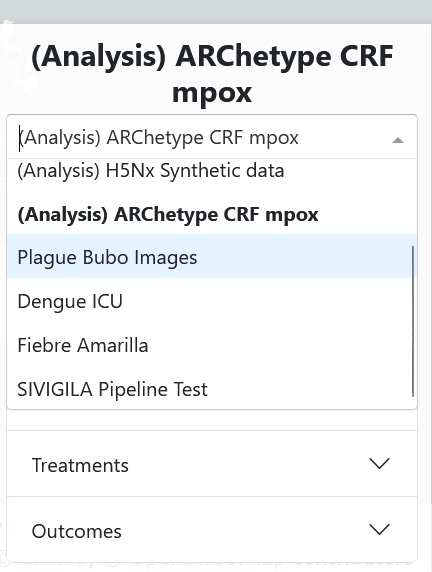
Access checks happen at page load: there is no extra sync delay, because both applications read the same access database. After the switch to Public above, the project immediately shows up in the VERTEX project selector without logging in:
Removing a project
Do not simply delete the project folder.
Instead, merge a PR that empties it, leaving only a REMOVED.txt marker that records the retired project_id:
My_Project/
└── REMOVED.txt
with contents along the lines of:
Project "My Project" (project_id: my-project) has been removed from VERTEX-projects.
This folder name and project_id are retired and must not be reused.
A folder without a config_file.json is ignored by both the VERTEX app and ingestion, so the project disappears from vertex.isaric.org at the next hourly sync.
A maintainer should then delete the project’s user_project_mapping rows and its projects row (matched on vertex_id) from the access database.
This removes the project from account.isaric.org and guarantees no new project can ever inherit the removed project’s owner, visibility, or shared users.
The retired folder is the permanent record that its name and project_id are taken — the ID only existed in the deleted config_file.json, hence writing it into REMOVED.txt for posterity.
Neither should be reused: VERTEX share links identify projects as ?project=<project_id>, but fall back to folder, so a new project reusing either would capture links to the removed project.
Reviewers of PRs adding new projects should check the new ID against the retired folders.